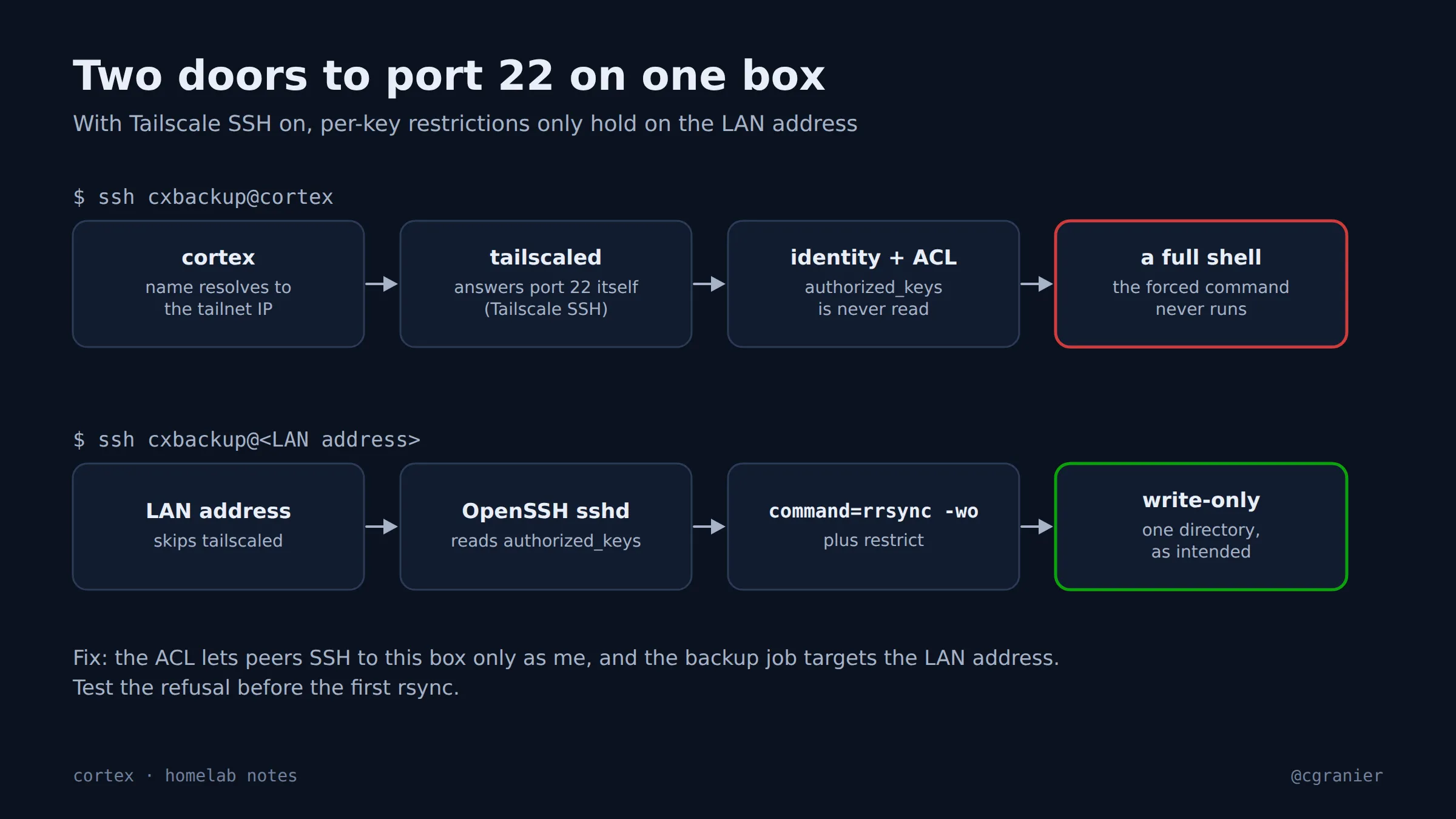
The short version: Tailscale SSH answers port 22 itself and never reads authorized_keys. Every forced command and restrict option on that machine only applies when you connect to its LAN address.
Get the week's seven in one email, every Monday.
What went wrong
I was building a write-only door for backups: a dedicated account whose only key carried command="rrsync -wo …",restrict. To test it I ran ssh cxbackup@cortex id. It should have been refused. It printed a uid.
cortex resolves to the machine’s tailnet address, and with Tailscale SSH turned on, tailscaled answers port 22 there instead of OpenSSH. It authenticates by Tailscale identity and never opens authorized_keys, so the forced command, the restrict flag and every other per-key option don’t exist on that path. The tailnet policy also let my identity log in as the service account.
What we learned
- On a machine with Tailscale SSH on, per-key restrictions only hold on the LAN address.
- Which local users a tailnet peer can become is set in the tailnet policy, not on the machine.
- A restricted key that “works” may not be the key that answered. Test the refusal, not the success.
What went right
I tested the refusal before the first real backup ran, so the hole showed up on install day instead of after an incident. The fix took one evening.
How to do it (as of October 2026)
- Point any job that depends on
authorized_keysoptions at the machine’s LAN address, not its tailnet name. - In the tailnet policy, limit which local users peers may SSH in as. On my server that’s now only my own account.
- Test from the client, refusal first:
ssh -i <job key> <user>@<LAN address> idmust be refused. If it prints a uid, you reachedtailscaled, or the key options aren’t applied. - If the transfer then fails with
mkstemp … Permission denied, thecommand=prefix is working and the target directory’s permissions are what’s wrong.
Status
Fixed on September 11, 2026. Backups now arrive through the LAN address, and ssh cxbackup@cortex is refused with “does not permit you to SSH as user cxbackup”.