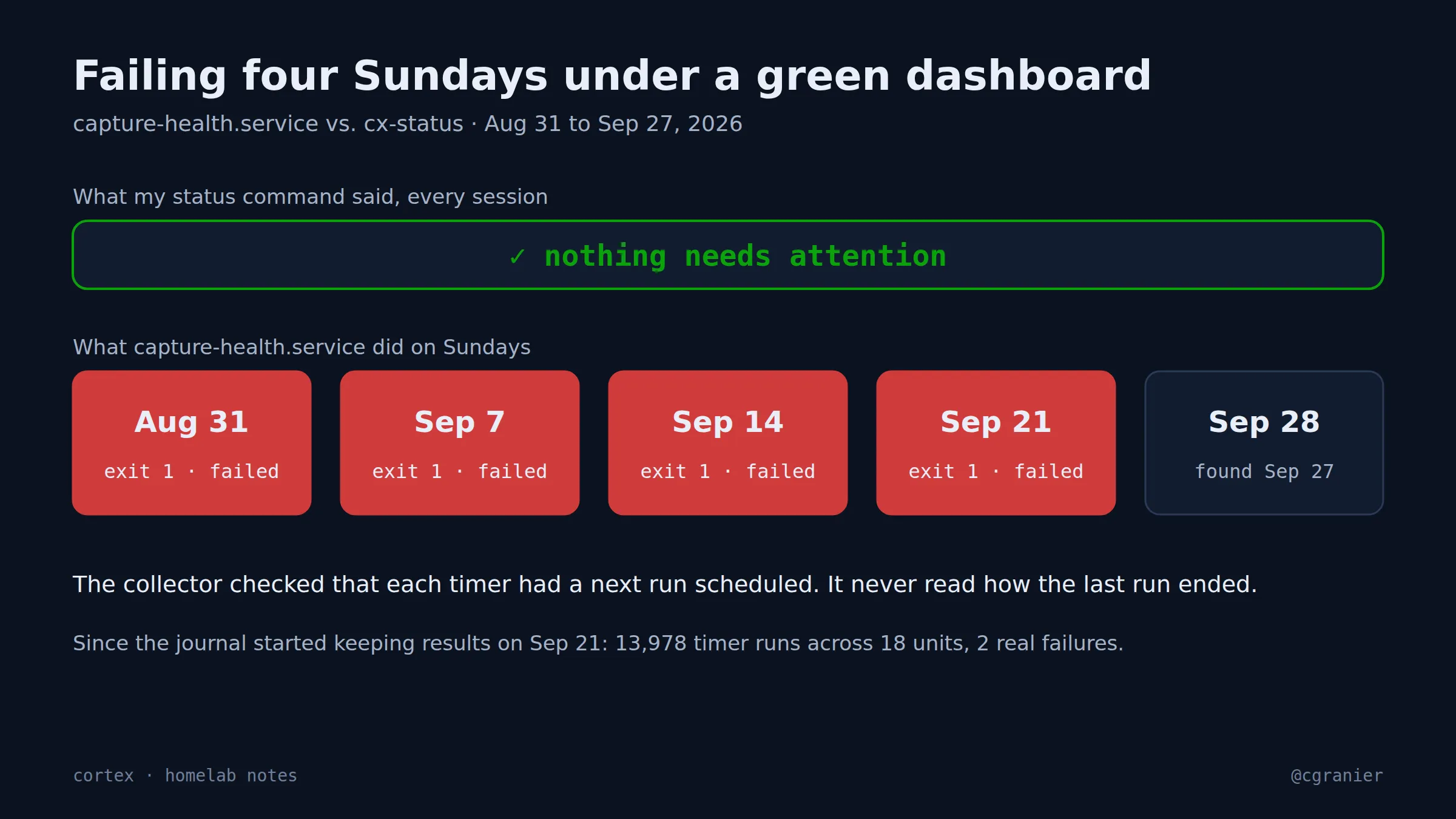
The short version: A weekly health check for my capture webhook exited 1 on August 31 and on the next three Sundays. The whole time, the status command I run at the start of every session said “nothing needs attention”. It was checking that each timer had a next run scheduled. It never asked how the last run ended.
Get the week's seven in one email, every Monday.
What went wrong
The box runs about twenty systemd timers. My status collector watched them the way you’d check a train timetable: is the next departure posted? A timer with no next run gets flagged as dead. A timer whose job runs on time and fails does not.
So capture-health.service sat in systemd’s “failed” state for four weeks, visible to anyone who typed systemctl --failed, invisible on my dashboard. I found it on September 27 because I asked an agent a different question, “what’s up with the webhook?”, and it looked.
What we learned
- A schedule check is not a health check. “It will run again” says nothing about “it worked”.
- “Failed” was ambiguous anyway. That script exits 1 when it has findings, the way grep does. So the fix couldn’t be “alert on non-zero”. Each unit has to declare which exit codes mean findings and which mean broken.
- The journal already had the answer. Since September 21, systemd had been recording how every run ended: 13,978 timer runs across 18 units, 2 real failures. Nobody was reading that column.
What went right
Fixed on October 5. Each watched timer’s last service result is now classified: success; a declared findings code, which is a warning; any other failure, which is critical; and unreadable, which is unknown and also critical. The classification feeds the collector, the dashboard’s attention list, the nightly digest and the session-start status command. The change came with 136 lines of tests.
How to do it (as of October 2026)
- For every timer you watch, read the service’s last result, not just the timer’s next run.
systemctl show <service> -p Result -p ExecMainStatus -p ExecMainExitTimestamphas what you need. - Keep a small table of which exit codes mean “findings” per unit. Everything else non-zero is broken.
- Treat “can’t read the result” as critical. Silence is the failure you’re trying to catch.
- Put the classification where you already look. Mine goes into the one command I run at session start.
- Once in a while, run
systemctl --failedby hand. It would have caught this in week one.
Status
Fixed. The four Sundays are the reason my status command has a results column.